Bento grid
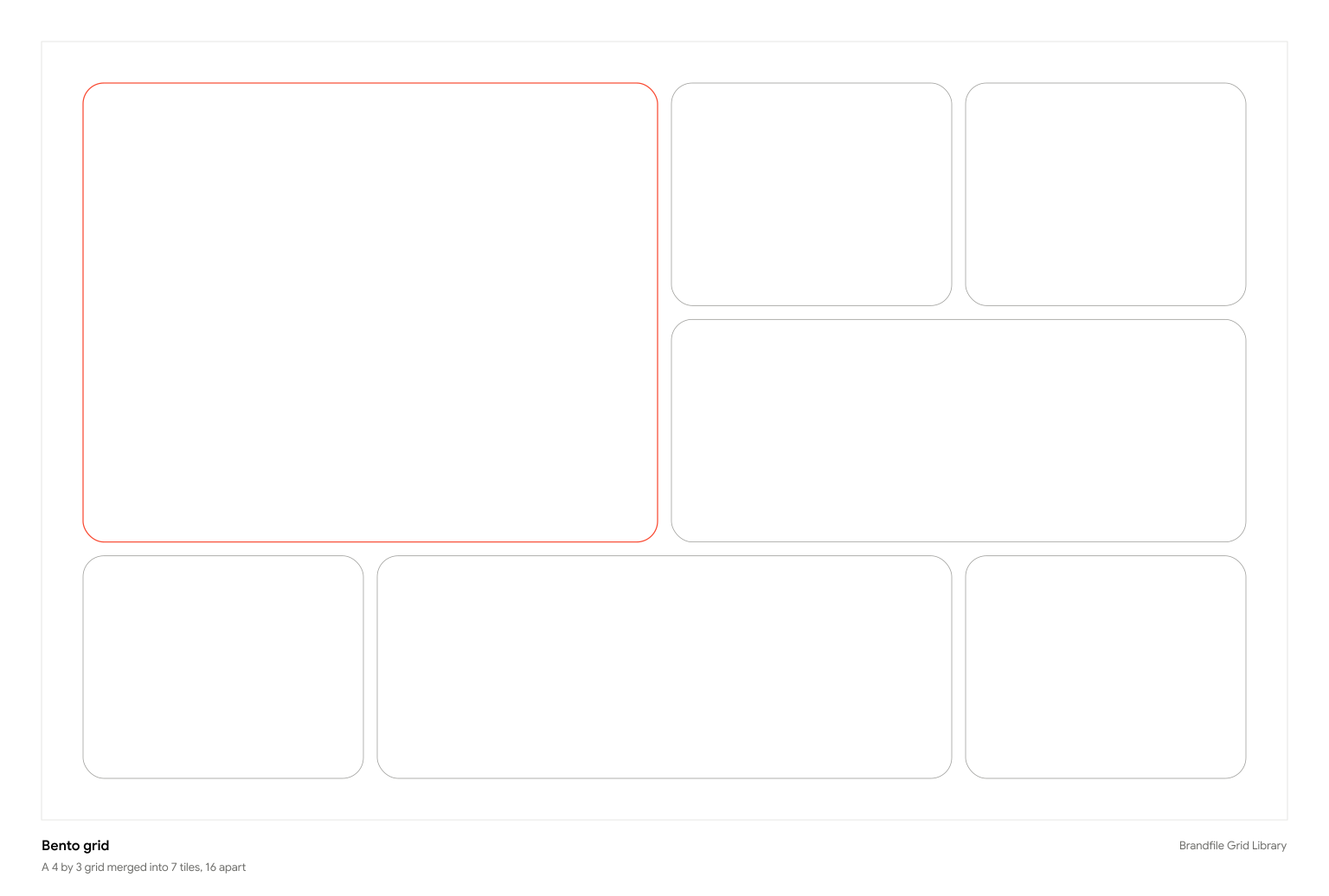
A bento grid fills a frame with rounded tiles of different sizes on one shared grid. Here a 4 by 3 grid is merged into 7 tiles, 16 apart.
Free for personal and client work. Opens in Illustrator, Affinity, Figma and Inkscape.
What it's for
- Feature sections on websites
- Brand boards and case studies
- Dashboards and social posts
How to draw it
- Divide the frame into a simple grid, here 4 columns by 3 rows.
- Set one gap for everything.
- Merge cells into tiles of different sizes.
- Give the main content the largest tile.
- Round every tile's corners by the same amount.
When not to use it
Too many tiny tiles look cluttered. Five to eight tiles is plenty.
What's in the file
One SVG, 1536 by 1036, with four named layers, so you can lock the grid and draw above it:
- Frame: the edge of the grid.
- Construction: the grid lines, in warm grey.
- Accents: the lines and points that matter most, in coral.
- Labels: the name and a short note, as outlines. Hide it while you draw.
Get all 54 grids
The whole Grid Library in one ZIP: every grid in 8 numbered folders, with a README that names each one. We email it to you, free.
Do it on your own logo
Brandfile's Layouts step gives you layout grids for 11 formats with your logo already placed, and the settings to rebuild them in Figma and InDesign. See Layouts.