Logo guidelines generator, from your logo SVG.
Brandfile turns one logo SVG into logo guidelines. It measures the construction grid, clear space and smallest size, makes every logo version, finds the brand colours with HEX, RGB, print CMYK, Pantone and RAL, adds your fonts, and draws don'ts from your own logo. You get a brand book in 14 templates as a vector PDF, PNG, SVG or an InDesign file, and a brand guidelines web page you can share with a private link.
What it does
- Logo construction guides
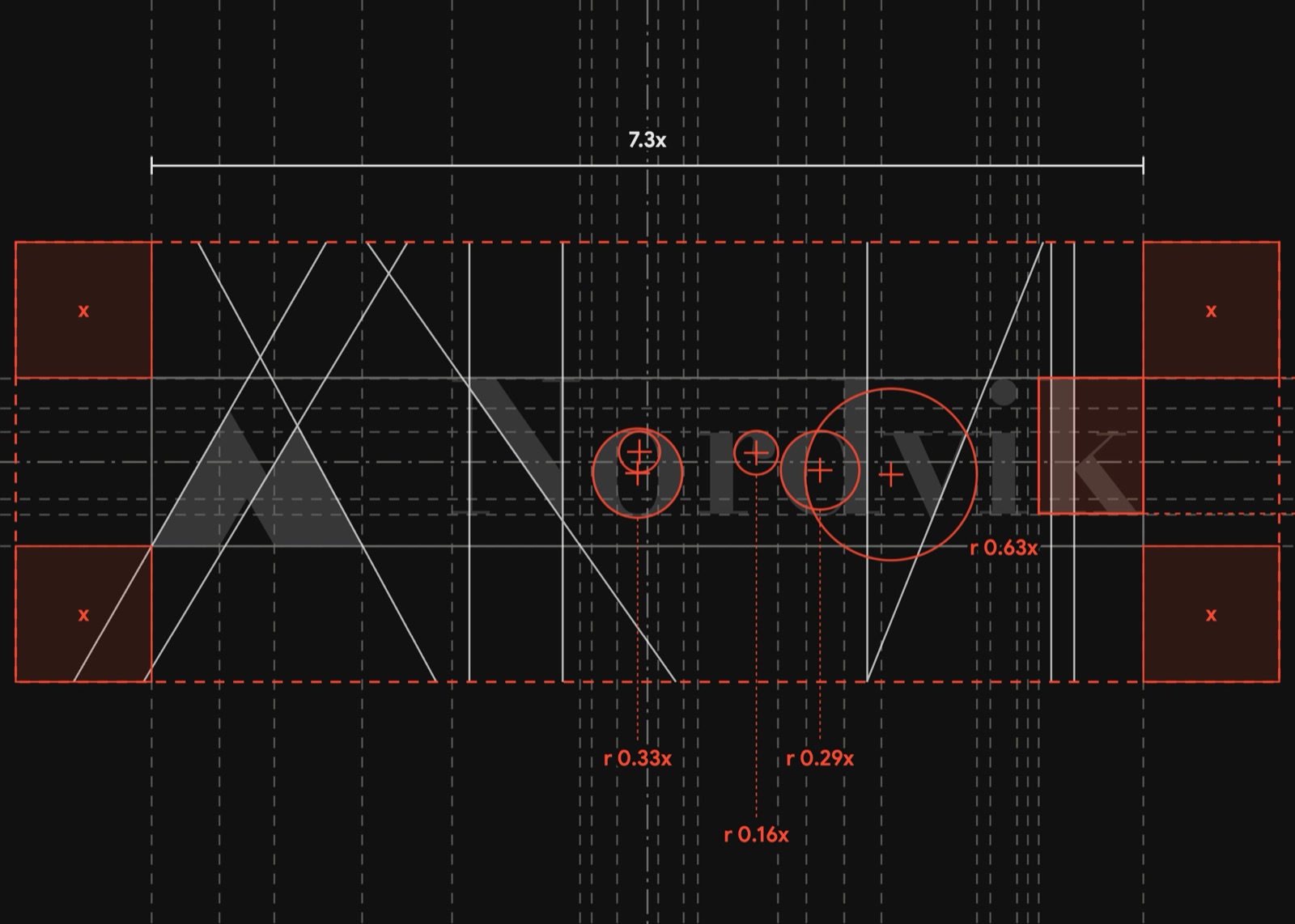
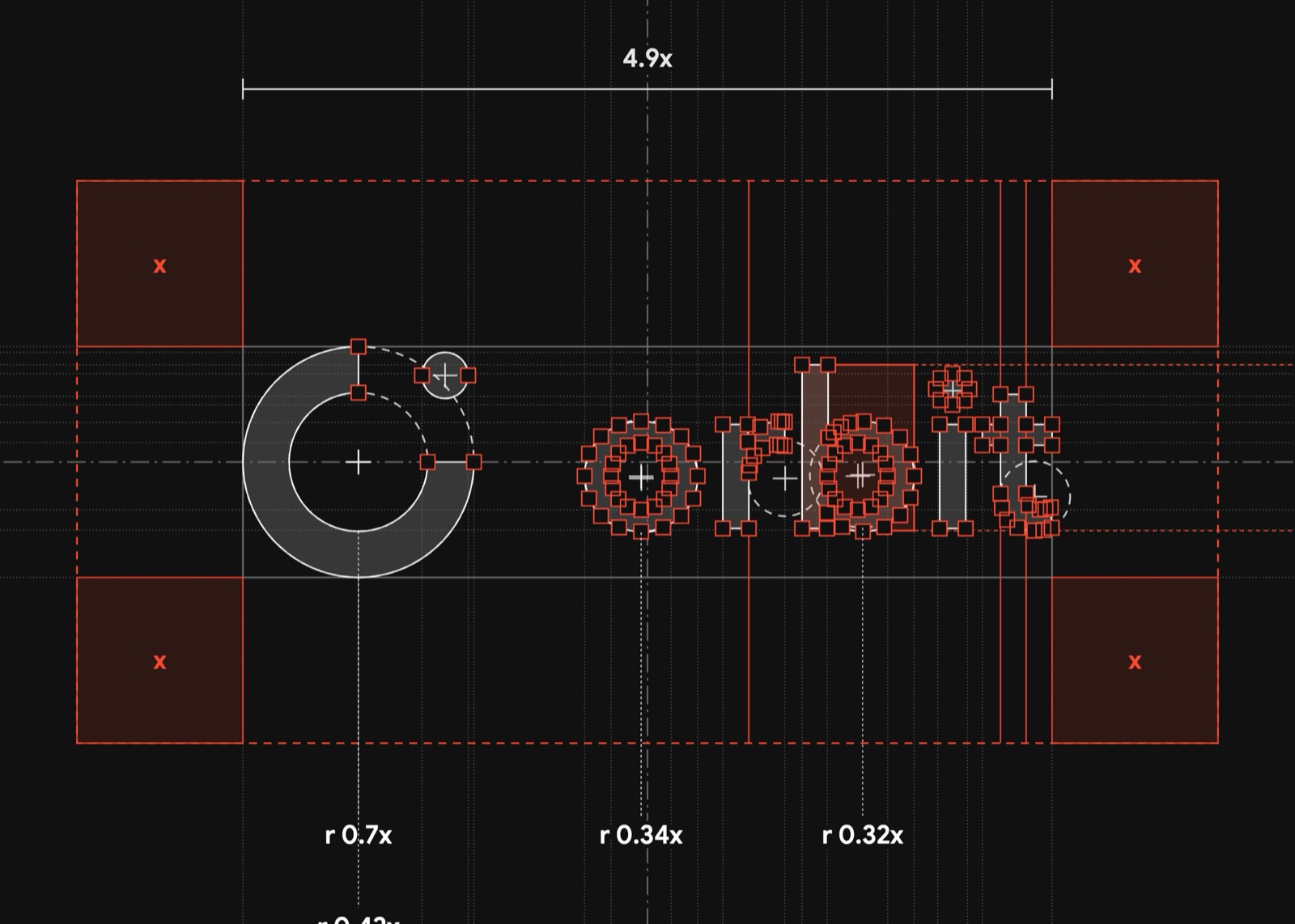
- The construction sheet from Grids on the How it's built page: circles, lines, anchor points and clear space from the real paths.
- Clear space rules
- Clear space in x units, from the height or one part of the logo, drawn and written the same way on every page.
- Smallest size
- The smallest size to use the logo at, 120 px wide on screens and 30 mm in print, and the logo mark for anything smaller.
- Logo versions
- Full colour, black, white, each brand colour, and the logo on light and dark grounds, with the mark and wordmark apart.
- Colour codes
- HEX, RGB and CMYK through the print profile you chose, with the nearest Pantone and RAL, marked approximate.
- Typography
- 1 to 3 brand fonts from over 2,000 free fonts, with weights, a size scale and readability checks on your colours.
- Logo don'ts
- Drawn from your own logo: stretched, rotated, recoloured and more.
- Patterns and in use
- Your brand patterns and mockups of the logo in use, if you made them.
- 14 templates
- Standard, Fundamenta, Swiss, Split, Symbol, Quiet, Numeral, Proportion, Serif, Technical, Lanes, Poster, Document and Pastel.
- Five page shapes
- Landscape 16:9, A4 portrait, A4 landscape, US Letter and square.
- Your words
- An introduction and a short note on every page. Each section turns on or off.
- Export
- Vector PDF, PNG and SVG pages, and an InDesign package with live text, brand swatches and linked logos.
- Brand guidelines web page
- Portal shows the guidelines as a website in the brand's own colours and fonts, with logo downloads, behind a private link with an optional passcode.
How it works
- Upload the logo SVG
From any design app, with text outlined.
- Check the steps
Grids measures the construction and clear space, Colour locks the palette, Type picks the fonts. Each step has sensible defaults.
- Pick a template and format
Choose one of 14 templates and a page shape, turn sections on or off and add your words.
- Export or share
Download the PDF or the InDesign file, or share the guidelines as a web page with one link.
Guidelines written from the logo, not typed in
A template from a marketplace gives you empty pages to fill. Brandfile's guidelines are built from what it measured in your logo, so the clear space, the construction, the colour codes and the logo versions on the page are the real ones.
Change a colour or a font in its step and every page, the logo package and the web page follow, so the guidelines never disagree with the files the client gets.
Logo guidelines or full brand guidelines
Logo guidelines cover the mark itself: construction, clear space, smallest size, versions and don'ts. Brand guidelines add colour, typography, patterns and the logo in use. Brandfile does both from the same file. Turn sections off for a short logo usage sheet, or use the one-page Poster for a quick reference.
PDF, InDesign or a web page
Send the vector PDF, keep editing in InDesign with live text and swatches, or share a brand guidelines web page that stays up to date. Most teams use the PDF for the handover and the link for everyday use.
What it doesn't do
- Copy changes are made in Brandfile, through your introduction and the note on each page. For free layout changes, take the InDesign file.
- Text in the PDF is drawn as outlines, so it can't be selected yet. The InDesign file keeps live text.
- The Free plan makes one book a month in the Standard, Quiet or Document template. Every template, the InDesign file and the full logo package are Pro.
Compared with other tools
Side by side, with each tool's facts taken from its own pages, and where each one is the better pick.
- Brandfile vs Akrivi Studio: Pick Akrivi Studio if you live in Illustrator and want editable presentation and guideline layouts inside it.
- Brandfile vs Joisti: Joisti hosts the guide, and Brandfile builds the brand behind it, then hosts the guide too.
Questions
- Can I generate logo guidelines automatically?
- Yes. Upload the logo SVG and Brandfile measures the construction, clear space and smallest size, makes the logo versions and colour codes, and lays them out as a brand book. You add your own words and pick what to show.
- What goes in logo guidelines?
- The logo and its versions, how it's built, clear space, smallest size, colours with codes, fonts and the don'ts. Brandfile makes a page for each. Read what goes in brand guidelines for the full list.
- Can I edit the guidelines in InDesign?
- Yes. Pro downloads an InDesign package with live text, paragraph styles, brand swatches and the logos linked.
- Can I share the guidelines as a link?
- Yes. Portal shows the guidelines as a website in the brand's colours and fonts. Share it with a private link, add a passcode or an end date if you like. Free keeps one live link, Pro gets one on every file.
- Is it free?
- The Free plan makes one book a month in 3 templates, for up to 3 logos. Pro is $8 a month or $69 a year for every template, InDesign, the full logo package and unlimited logos.