Automatic construction grid generator for logos.
Brandfile is an automatic construction grid generator that works on an existing vector logo. Upload the SVG from Illustrator, Figma, Affinity, Inkscape or CorelDRAW and it reads the exact paths, then draws the construction circles, construction lines, angles, anchor points, Bezier handles, letter spacing and clear space on a sheet you export as an editable SVG or a 2400 px PNG. It runs in any desktop browser and is free for 3 logos.
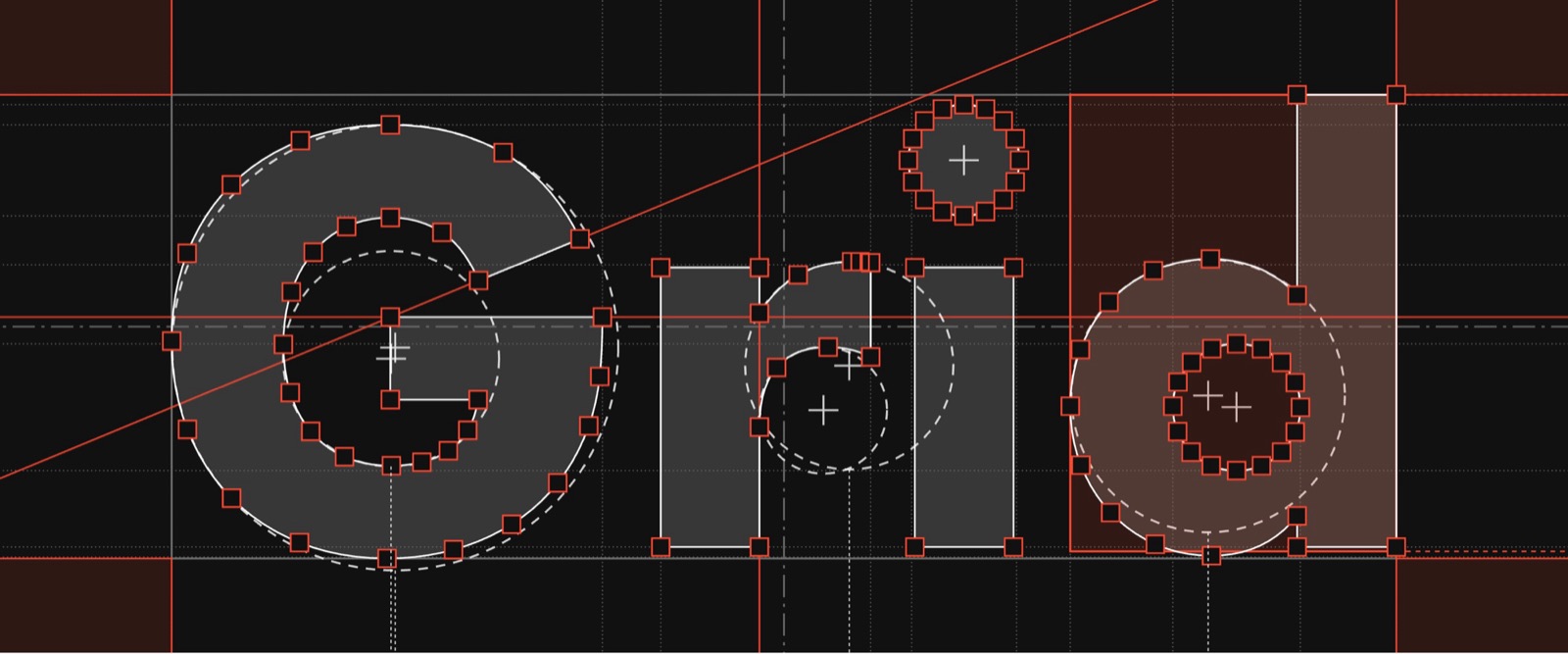
What it does
- Construction circles
- Fitted to the real curves and arcs in your SVG, down to small radii, and merged so each curve shows one circle. Corner radii are found once per rounded shape.
- Construction lines
- Edge lines under the real corners and straight sides, at their exact angle, kept together when they run parallel.
- Angles
- The angle of each slanted edge written on the sheet, so a 45 degree cut reads as 45.
- Anchor points
- Every anchor point in the paths, as rings or dots, with a Points slider from the key corners only to every point.
- Bezier handles
- Every Bezier handle, drawn from the exact control points, with the path outline under them if you want it.
- Letter spacing
- The gaps between neighbouring letters and parts, measured in x units, so uneven spacing shows.
- Clear space
- Set as a share of the logo, or as the height or width of one part, like the letter b, and drawn in x units.
- Alignment guides
- Shared tops, bottoms and sides, the box around the logo and its centre lines.
- Base grids
- Square by box count or size, golden ratio with squares, spiral and circles, isometric turned to your logo's main angle, and hexagon.
- Golden ratio check
- Says which proportions in the logo are within 3% of 1.618, and says so plainly when none are.
- Drawing check
- Lists near misses with numbers: an edge at 44.6 degrees, two points a hair apart, uneven mirrored handles, near-twin circles and kinked curves.
- Lockup check
- Measures the gap, wordmark size and alignment between the mark and the wordmark, and can fix the spacing on a copy.
- Sensitivity
- One setting, from fewer and cleaner guides to more and finer ones.
- Your own look
- Colour, weight, dash and opacity for every layer, light, dark and blueprint sheets, and the logo as ghost, solid, outline or original.
- Export
- An editable SVG where every line is a real vector, and a 2400 px PNG.
How it works
- Export the logo as SVG
From any design app, with the text turned into outlines.
- Upload it to Brandfile
Drop the SVG on Your files. Brandfile reads the paths in your browser and draws the construction grid in seconds.
- Pick the layers
Turn circles, lines, angles, anchor points, handles, spacing, clear space and a base grid on or off, and set the look.
- Export the sheet
Download an editable SVG or a 2400 px PNG for the case study, the brand book or the client deck.

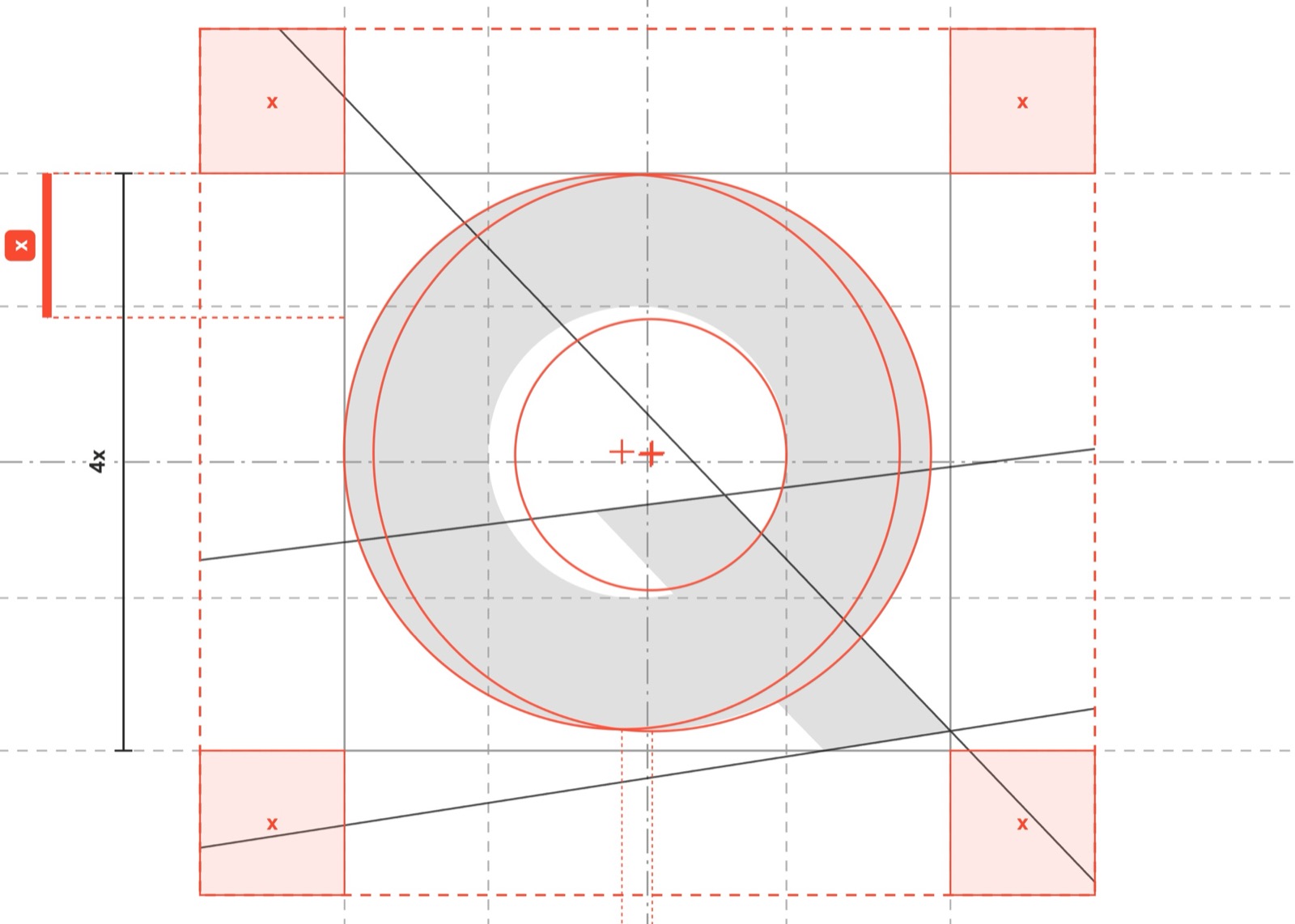
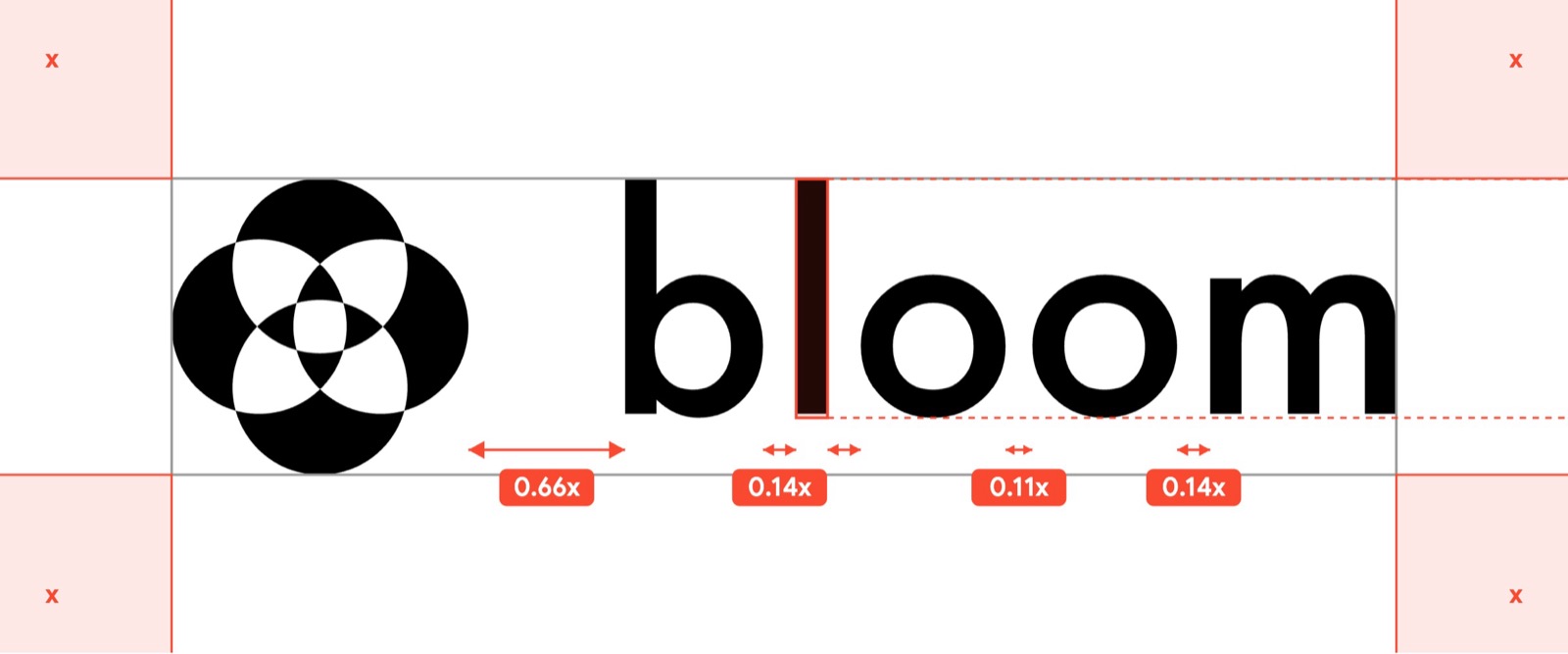
Made for a logo that is already drawn
Most grid tools give you a blank grid to draw on. That helps at the start of a project. At the end, you need the opposite: the grid your finished logo is really built on, for the case study, the brand book and the client.
Brandfile starts from the finished vector. It parses every path in the SVG, fits circles to the real curves and lines to the real edges, and only draws what it can measure. If your logo has three true circles, the sheet shows three, not twenty decorative ones.
What automatic means here
You don't place a single circle. Upload the SVG and the construction circles, construction lines, angles, anchor points, Bezier handles, guides and clear space are found and drawn for you. No AI is involved: it is geometry code that measures your paths.
You stay in charge of what shows. Every layer turns on and off, Sensitivity trades fewer guides for finer ones, and the Points slider decides how many anchor points to show.
Any design app, nothing to install
Illustrator plugins only run inside Illustrator. Brandfile reads the SVG every design app exports, so it works the same for a logo drawn in Figma, Affinity Designer, Inkscape, CorelDRAW, Sketch or Illustrator. It runs in any desktop browser on Mac, Windows or Linux.
The exported SVG opens back in any of those apps, with each layer as real vector lines, so you can restyle or extend the grid there.
The grid feeds the rest of the brand
The same upload goes on to colour with print CMYK, brand fonts, patterns, the full logo package and a brand book. The construction sheet lands in the package and on the brand book's How it's built page, so the grid the client sees matches the logo they get.
What it doesn't do
- It needs an SVG with paths. A PNG or JPG has no curves to measure, and live text must be turned into outlines first.
- It works in the browser, not on your Illustrator artboard. You export the sheet and place it in your app.
- You can't yet drag, add or delete single circles or lines by hand. You pick layers, Sensitivity and the Points slider instead.
- The Free plan keeps a small Made with Brandfile credit on the sheet and draws the square base grid. Golden ratio, isometric and hexagon grids, per-layer styles and the full Drawing check list are Pro.
Compared with other tools
Side by side, with each tool's facts taken from its own pages, and where each one is the better pick.
- Brandfile vs Akrivi Studio: Pick Akrivi Studio if you live in Illustrator and want editable presentation and guideline layouts inside it.
- Brandfile vs KSDrafter: Pick KSDrafter if you work in Illustrator and want a free or $35 one-time plugin that draws guide shapes around a selected logo.
- Brandfile vs GridMe: Pick GridMe if you work in Illustrator and want base grids free, plus construction, clear space and client sheets for $5 a month, on your artboard.
Questions
- Is there an automatic construction grid generator for an existing logo?
- Yes. Brandfile draws the construction grid of a finished logo automatically from its SVG: circles, construction lines, angles, anchor points, Bezier handles, letter spacing and clear space. It works with an SVG from any design app, in your browser.
- Does it show anchor points and Bezier handles?
- Yes, on every plan. Anchor points and Bezier handles are layers on the sheet, drawn from the exact paths in your SVG, with an optional path outline underneath.
- Is it an Illustrator plugin?
- No. It runs in any desktop browser and reads the SVG your app exports, so it works for Illustrator, Figma, Affinity, Inkscape, CorelDRAW and Sketch users alike. The SVG it exports opens back in any of them.
- Does it use AI?
- No. Brandfile measures your paths with geometry code. Circles sit on real curves and lines on real edges, so the grid is a true description of the logo.
- Can it make a golden ratio grid?
- Yes. Pick Golden ratio as the base grid to draw golden rectangles, squares, the spiral and circles around the logo. Brandfile also checks which proportions in your logo are within 3% of the golden ratio. Golden ratio, isometric and hexagon grids are on Pro.
- What does it cost?
- Free for 3 logos, with the square base grid, every layer and a small credit on the sheet. Pro is $8 a month or $69 a year for unlimited logos, every base grid, your own layer styles, no credit, and the rest of Brandfile.
- Which file do I upload?
- An SVG of the final logo with text outlined. Brandfile cleans it in your browser before it measures anything.
Ask an AI about this page
Keep reading
Free logo grid generator
Try the grid in the page, no account, then download it free.
OpenAnchor point visualizer
Every anchor point and Bezier handle in your logo, free.
OpenLogo clear space generator
Clear space in x units from the height or one part of your logo.
OpenCan you automate logo construction grids?
What a tool can measure, and what still needs your eye.
Open