Grids
Show the thinking behind the mark.
Brandfile finds the circles, edge lines and angles in your logo and draws them on a clean sheet, with clear space measured for you.
Free with the square grid and a small Brandfile credit. Pro adds golden ratio, isometric and hexagon grids, Customise and the full Drawing check, and removes the credit.
Drawing construction circles over a finished logo takes an afternoon. The only other tool that does it lives inside Illustrator. Brandfile works on any SVG, from any app, in your browser.
Try it on your logo, free.
Drop an SVG and the construction grid is drawn right here, in your browser. Nothing is uploaded until you choose to save it. For layers and base grids to pick from, try the free logo grid generator.
Your logo stays on your computer. It's measured with geometry, not AI, and nothing is uploaded unless you save it. How we look after it
How it works
Upload
Export your logo as SVG from Illustrator, Figma, Affinity or Inkscape and drop it in.
Adjust
Turn layers on and off, pick a base grid, and set each layer's colour, weight and line style.
Export
Download a 2400 px PNG or an SVG you can edit. Light, dark or blueprint.
What Grids does
Finds the real geometry, then checks it
Circles come from your actual curves, and edge lines from your actual corners. The Drawing check points out edges at 44.6° instead of 45°, stacked points and uneven handles.
Measures clear space
Set clear space as a share of the logo, or as the height of one part, like the letter b. Brandfile draws it in x units.
Made for the case study
A clean sheet with your logo in ghost, solid or outline, ready for Behance, Dribbble or the client deck.
In the app.
The real Grids step, on a client logo.
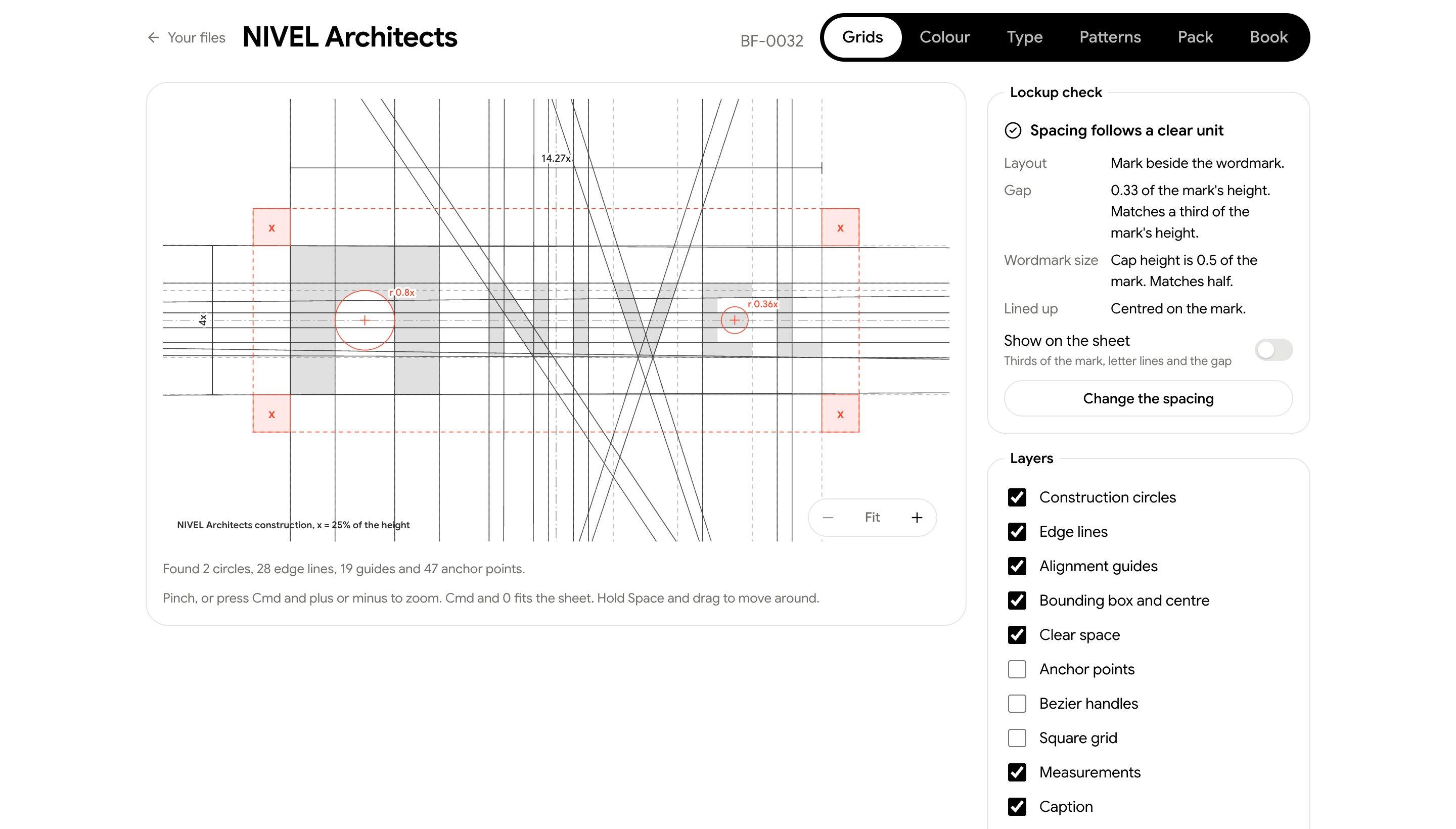
- Circles, edge lines and clear space, measured from the real curves
- The lockup check: gap, wordmark size and alignment
- Each layer of the sheet on or off
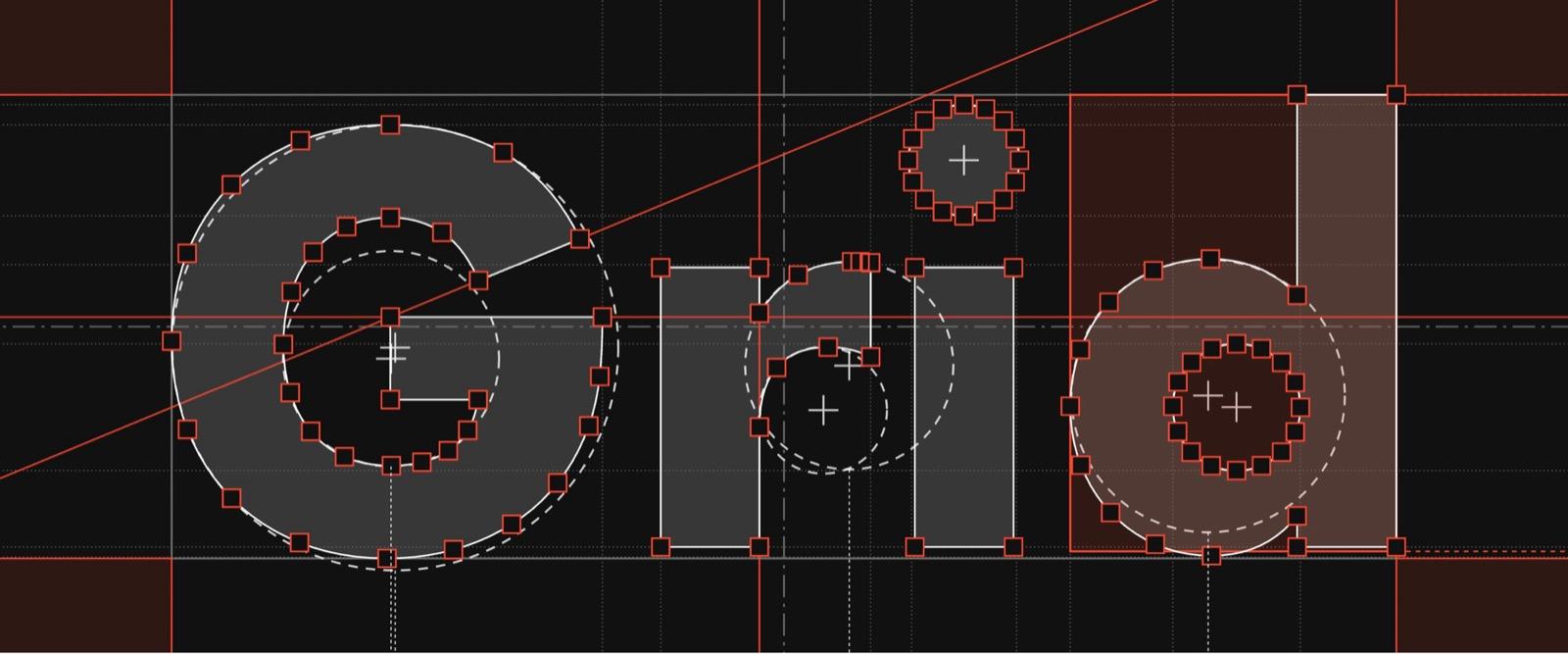
See it on real letters, marks and client logos.
Futura, Didot and Bodoni letters, made-up marks, lockups and six real client logos, each grid drawn by Brandfile from the SVG.
Read the case studyWhat people use Grids for
- A Behance case studyShow how the logo was built, on screens and in print, in the order viewers expect.
- Presenting a logo to a clientOne deck for one to three concepts, with the idea, the build and the logo in use.
- Refining a logo while you drawLay the logo's own geometry over it to see what is almost right.
- Animating a logoBring the construction lines into your motion app as vectors.
- Handing over brand guidelinesA short brand book with the rules people break, not how the logo was drawn.
Every detail
Everything Grids does today.
- Construction circles, merged so each curve shows one circle
- Edge lines under every anchor point
- Alignment guides, bounding box and centre
- Clear space as a percent or as one part of the logo
- Anchor points and Bezier handles
- Base grids: square, golden ratio with spiral, isometric and hexagon
- Isometric grid that matches the angle in your logo
- Drawing check for near misses in angles, edges, points and handles
- Your own colour, weight, dash and opacity for every layer
- Sensitivity, from fewer and cleaner to more and finer
- Light, dark and blueprint sheets
- Zoom with Cmd and plus or minus
- 2400 px PNG and editable SVG
Grids questions
Which design apps does it work with?
Any app that exports SVG: Illustrator, Figma, Affinity Designer, Inkscape, CorelDRAW and Sketch. Nothing to install.
What if my logo has text?
Convert the text to outlines before you export the SVG. Brandfile measures shapes, not live fonts.
Can I edit the sheet afterwards?
Yes. Download the SVG and open it in your design app. Every line is a real vector.
How precise is it?
Brandfile reads the exact paths in your SVG, so anchors, handles and arcs are where you drew them. The Drawing check then flags near misses, like an edge at 89.4° or two points a hair apart, so the sheet shows a clean drawing.
What does the Free plan include?
Three files and full Grids export with the square grid, with a small Made with Brandfile credit on the sheet. The Drawing check tells you how many things to look at. Pro adds the golden ratio, isometric and hexagon grids and Customise, shows what each Drawing check item is and where it sits, and removes the credit.
Every step, one upload.
Every tool reads the same SVG, so the grid, colours, fonts, patterns, layouts, mockups, files and book always match.
- GridsConstruction sheets from your real artwork
- ColourBrand colours with codes that print right
- TypeBrand fonts, checked on your colours
- PatternsBrand patterns made from your mark
- LayoutsGrids and logo placement for every format
- MockupsYour logo on screens, phones and paper
- PackEvery logo file, named and zipped
- BookA short brand book, ready to send
- PresentOne client deck for one to three concepts
- PortalOne private link for your client