Compound grid
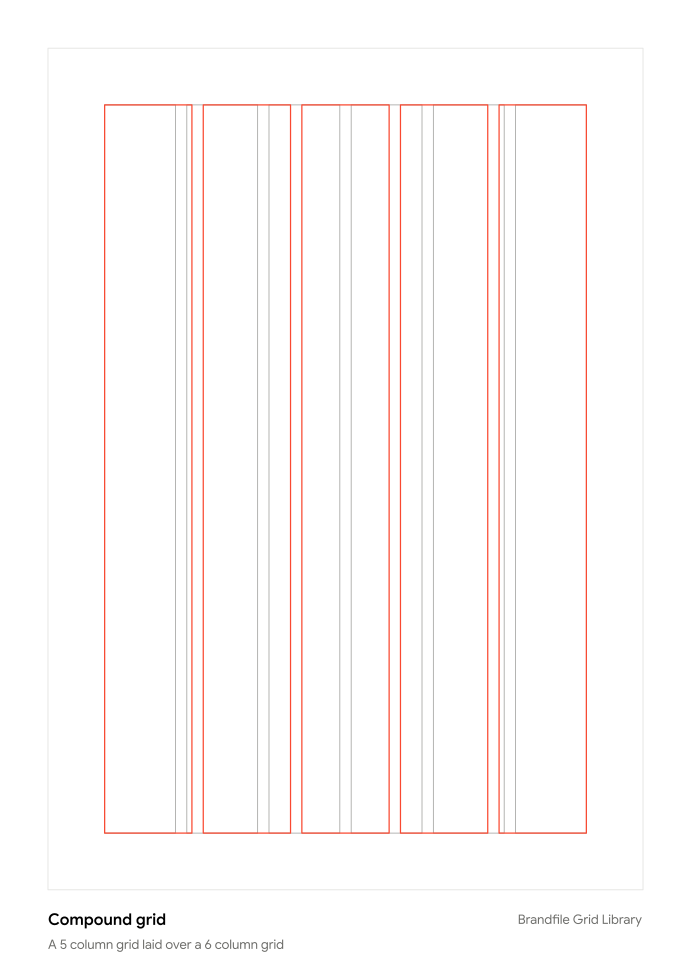
A compound grid lays two column grids over each other, here 5 and 6 columns. Their lines give more ways to split the page than either grid on its own.
Free for personal and client work. Opens in Illustrator, Affinity, Figma and Inkscape.
What it's for
- Magazines and editorial layouts
- Pages that mix text in one rhythm with images in another
- Layouts that need variety without losing order
How to draw it
- Set the margins.
- Draw a 6 column grid.
- Draw a 5 column grid over it, in a different colour.
- Use one grid for text and the other for images, or move between them.
- Line up key edges where the two grids meet.
When not to use it
Two grids are harder to keep consistent. Write down which one each element follows.
What's in the file
One SVG, 691.2755905511812 by 977.8897637795277, with four named layers, so you can lock the grid and draw above it:
- Frame: the edge of the grid.
- Construction: the grid lines, in warm grey.
- Accents: the lines and points that matter most, in coral.
- Labels: the name and a short note, as outlines. Hide it while you draw.
Get all 54 grids
The whole Grid Library in one ZIP: every grid in 8 numbered folders, with a README that names each one. We email it to you, free.
Do it on your own logo
Brandfile's Layouts step gives you layout grids for 11 formats with your logo already placed, and the settings to rebuild them in Figma and InDesign. See Layouts.