HEX to Pantone: why it's a match, not a conversion
There is no formula that turns a HEX code into a Pantone colour. HEX is light on a screen and Pantone is a real ink, so the best you can do is find the closest ink. Find the nearest few, check them in a printed swatch book, and give the exact name, like PANTONE 172 C.
In short
- Pantone colours are ready-mixed inks with names, not numbers worked out from HEX.
- Every HEX to Pantone answer is a nearest match, so check it by eye.
- C is the ink on coated paper, U on uncoated. Pick the one for your paper.
- Some screen colours have no close Pantone match at all.
- Use Pantone for packaging, signs and merch. Screens keep the HEX.
- Coral #F94931Nearest Pantone 172 CMatch Very close
- Green #2E9E44Nearest Pantone 347 CMatch Close
- Golden yellow #F5C400Nearest Pantone 123 CMatch Close
What a Pantone colour is
Pantone is a library of inks. Each one is mixed to a recipe, has a name like PANTONE 172 C, and is printed in a swatch book so everyone can see it. When a job prints in a Pantone colour, the printer uses that ready-mixed ink, not a blend of cyan, magenta, yellow and black.
That is why Pantone is called a spot colour. It goes down as one ink, in one spot, and looks the same on every run.
Why it's a match, not a conversion
A HEX code describes light from a screen. A Pantone colour is a physical ink on a physical paper. There is no maths that turns one into the other, the way you turn inches into centimetres.
So every HEX to Pantone tool does the same thing: it compares your colour with every ink in the library and gives you the one that looks closest. Different tools use different colour data, so they can disagree, especially when your colour sits between two inks.
How close is close enough
Brandfile measures how far apart two colours look, in a colour space built to match the eye. Below 0.02, most people can't tell them apart side by side. Here is what that looks like on real colours, nearest Pantone Coated:
| Colour | Nearest Pantone | Distance | Match |
|---|---|---|---|
| Coral #F94931 | 172 C | 0.015 | Very close |
| Green #2E9E44 | 347 C | 0.020 | Close |
| Golden yellow #F5C400 | 123 C | 0.021 | Close |
| Teal #00A6A6 | 320 C | 0.030 | Close |
| Navy #1B2A49 | 289 C | 0.035 | Close |
| Purple #6B3FA0 | 267 C | 0.060 | Rough |
| Bright blue #1E66F5 | 285 C | 0.069 | Rough |
Coral finds a very close ink. Bright blue doesn't: the nearest Pantone is a visible step away. For a colour like that, choose the ink by eye from the swatch book, and tell the client the printed version will look a little different.
Picking the right one
- Get the nearest three, not just one. The second closest is sometimes the better choice for the brand.
- Check them in a printed swatch book, in daylight. A screen can't show you a real ink.
- Pick C or U for the paper the job prints on. The same ink looks softer on uncoated paper.
- Write the exact name in the brand guide, like PANTONE 172 C, and mark it as the nearest match.
Adobe apps now need a paid Pantone Connect plan to show most Pantone swatches, so many designers check the nearest match online first, then confirm in the swatch book.
When to use Pantone at all
| The job | Pantone? |
|---|---|
| Packaging and labels | Yes. The colour must match on every run, often on many presses |
| Signs, merch and uniforms | Yes. The maker mixes or matches ink, paint or thread to a named colour |
| A colour CMYK can't reach | Yes. Bright oranges, greens and blues often print better as a spot ink |
| Cards and brochures in CMYK | Not needed. Give the CMYK made on the printer's profile |
| Websites, slides and social | No. Screens use the brand's HEX and RGB |
Finding the nearest match
The free HEX to Pantone tool gives the three nearest Pantone Coated colours for any HEX, with how close each one is, no account needed. In Brandfile's Colour step, every brand colour gets its nearest Pantone and RAL, marked as approximate, next to the CMYK made on real print profiles, and they go into the brand book and the package.
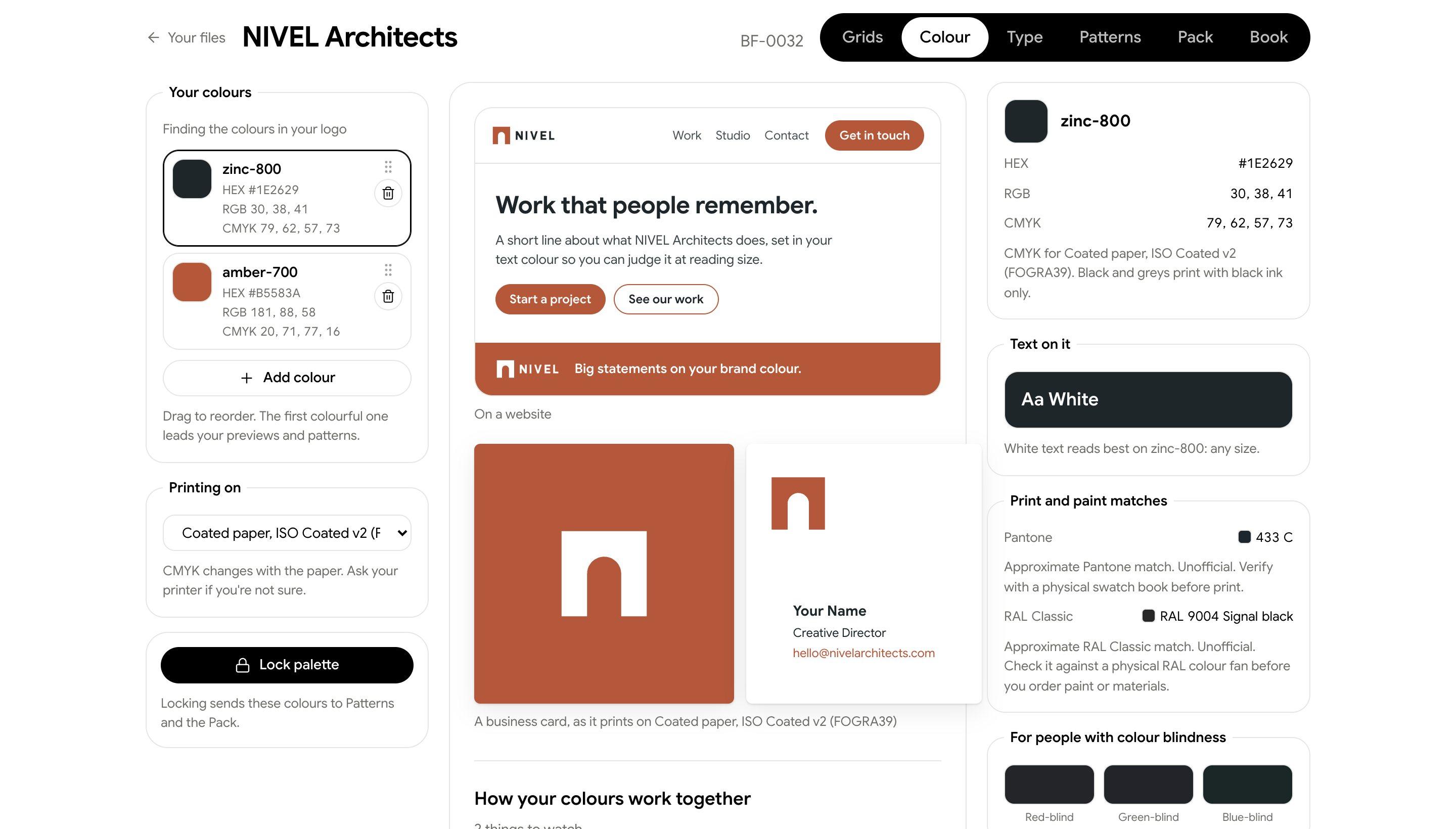
- HEX, RGB and CMYK for every colour
- The print profile the CMYK is made for
- A business card, as it prints on that paper
- Nearest Pantone and RAL, marked approximate
Questions
- Is there an exact HEX to Pantone conversion?
- No. A HEX code is light on a screen, and a Pantone colour is a real ink on paper. A tool can only find the Pantone colour that looks closest, so treat every answer as a match to check.
- Why do two tools give different Pantone colours?
- They use different colour data and different ways to measure how far apart two colours are. When the HEX sits between two inks, a small change tips the answer either way.
- What's the difference between C and U?
- The same ink printed on coated (C) or uncoated (U) paper. On uncoated paper it looks lighter and softer, so pick the version for the paper you print on.
- Should the website use the Pantone colour's HEX?
- No. Keep the brand's own HEX for screens. The Pantone colour is for print that needs a spot ink.
- Does every logo need a Pantone colour?
- No. Many brands only ever print in CMYK. Add Pantone when the client prints packaging, signs or merch, or when a colour must match exactly.