Golden triangle
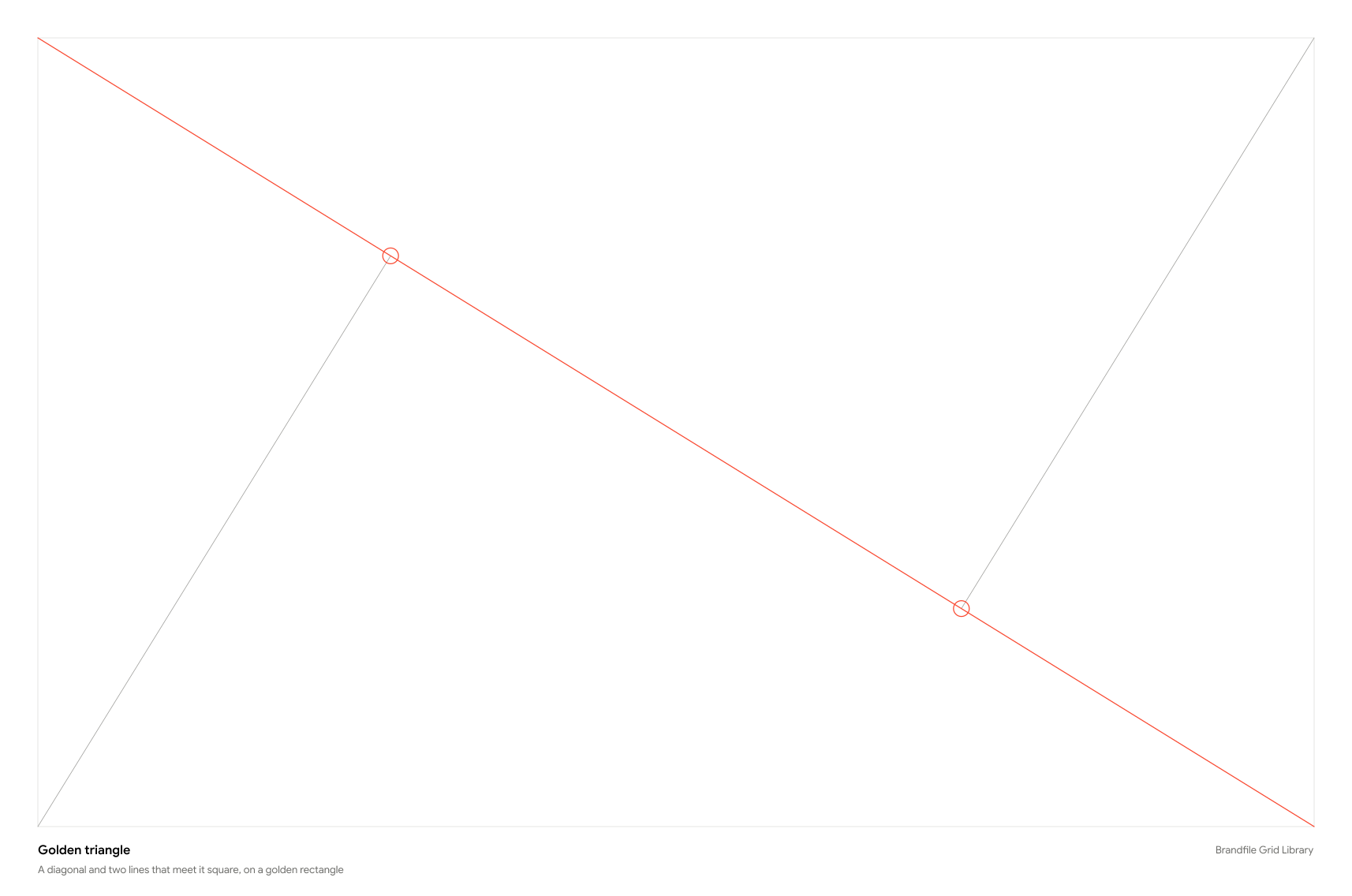
The golden triangle rule draws one diagonal and two lines from the other corners that meet it square. It splits the frame into four triangles, with two strong points where the lines meet.
Free for personal and client work. Opens in Illustrator, Affinity, Figma and Inkscape.
What it's for
- Dynamic, angled compositions
- Placing subjects along a diagonal
- Posters and photos with strong lines
How to draw it
- Draw a diagonal from one corner to the opposite corner.
- From each of the other two corners, draw a line that meets the diagonal at a right angle.
- Mark the two points where they meet.
- Place the main subjects on those points.
- Run strong edges along the diagonal.
When not to use it
It works best with diagonal subjects. For calm, upright layouts, thirds or a phi grid fit better.
What's in the file
One SVG, 1714.033988749895 by 1136, with four named layers, so you can lock the grid and draw above it:
- Frame: the edge of the grid.
- Construction: the grid lines, in warm grey.
- Accents: the lines and points that matter most, in coral.
- Labels: the name and a short note, as outlines. Hide it while you draw.
Get all 54 grids
The whole Grid Library in one ZIP: every grid in 8 numbered folders, with a README that names each one. We email it to you, free.
Do it on your own logo
Brandfile's Layouts step places your logo on 11 formats by one rule, with a size table and grid settings for Figma and InDesign. See Layouts.