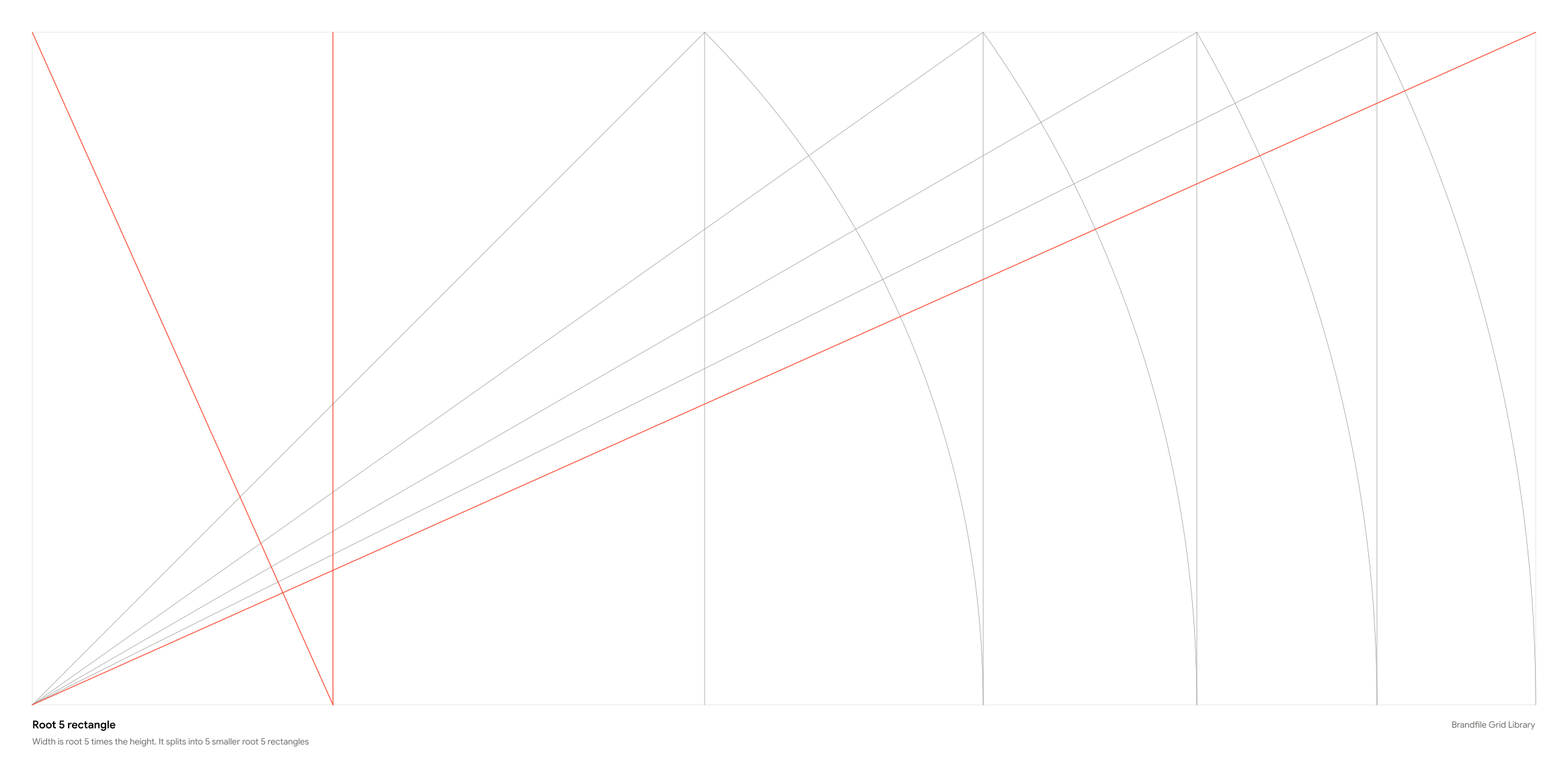
Root 5 rectangle
A root 5 rectangle is about 2.236 times as wide as it is tall. It holds a square with a golden rectangle on each side, and it splits into five smaller root 5 rectangles.
Free for personal and client work. Opens in Illustrator, Affinity, Figma and Inkscape.
What it's for
- Very wide formats like banners and website heroes
- Layouts that mix a square with golden proportions
- Splitting a frame into five
How to draw it
- Build the rectangle in steps: root 2, root 3, root 4, then root 5.
- At each step, swing the last rectangle's diagonal down to the base line.
- Close the final rectangle.
- Draw the line from the top-left corner that meets the main diagonal square on. It reaches the base at a fifth of the width.
- Use the square in the middle and the golden rectangles at the sides for the main parts.
When not to use it
The shape is very wide. Most content needs a lot of space to fill it well.
What's in the file
One SVG, 2332.06797749979 by 1136, with four named layers, so you can lock the grid and draw above it:
- Frame: the edge of the grid.
- Construction: the grid lines, in warm grey.
- Accents: the lines and points that matter most, in coral.
- Labels: the name and a short note, as outlines. Hide it while you draw.
Get all 54 grids
The whole Grid Library in one ZIP: every grid in 8 numbered folders, with a README that names each one. We email it to you, free.
Do it on your own logo
Brandfile's Layouts step places your logo on 11 formats by one rule, with a size table and grid settings for Figma and InDesign. See Layouts.