How to name logo files and folders
Name every logo file with one pattern: brand, part, version, then size, in lower case with hyphens, like acme-logo-black-1024px.png. Sort the files into numbered folders in the order a client needs them, and put a Start here page at the top.
In short
- One pattern for every file: brand, part, version, size.
- Lower case and hyphens. No spaces, no capitals, no underscores.
- Plain words for versions: full-colour, black, white. Not pos, neg or rev.
- Number the folders so they sort the same way on every computer.
- Nothing that only makes sense to you: no final, v3 or copy.
- your-brand-logo-package
- 01 Logo
- 02 Logo mark
- 03 Icons
- 04 Social
- 05 Construction
- 06 Palette
- 07 Fonts
- 08 Brand book
Why names matter
A client opens your folder months later, often on a phone, looking for one file for one job. If the names say what each file is, they find it in seconds. If the names are "Logo FINAL v3 (2)", they email you, or worse, they use the wrong one.
Good names are also part of looking senior. A tidy package tells the client the rest of the work was careful too.
The naming pattern
Every name has the same parts in the same order, joined with hyphens:
| Part | Example | What it says |
|---|---|---|
| Brand | acme | The brand's name, not your studio's or the client's company code |
| Part | logo, mark | Which piece: the full logo, or the mark on its own |
| Version | full-colour, black, white | Which colour version, in plain words |
| Size | 1024px | Only for pixel files, so the client picks the right one |
Put together: acme-logo-black-1024px.png, acme-mark-white.svg, acme-logo-full-colour.pdf. Anyone can read them, and they sort into neat groups in any folder.
Before and after
| Before | After |
|---|---|
| Logo FINAL v3 (2).png | acme-logo-full-colour-1024px.png |
| acme_neg.eps | acme-logo-white.eps |
| Untitled-1 copy.svg | acme-mark-black.svg |
| ACME Logo CMYK.pdf | acme-logo-full-colour.pdf, in the Print folder |
Folders that sort themselves
Number the top folders in the order a client needs them: the logo first, then the mark, icons, social images, and the guide last. A number at the start keeps that order on Mac, Windows and in every cloud drive.
Inside the logo folder, sort by use: Web and screens for SVG and PNG, Documents and email for JPG, and Print for PDF and EPS. A client knows which job they have, not which format it needs.
Then add a Start here page at the very top. Three lines do most of the work: which file goes on the website, which goes in Word and email, and which goes to the printer.
Free folder template
Want the folders without building them? The free template is a ZIP of 16 empty folders, named and numbered exactly like the package Brandfile makes, with a README that says what goes in each one and the names to use. Copy it for every new project.
The logo handoff checklist goes well with it: a short list to tick off before you send the files.
Named for you
Brandfile's Pack names and sorts every file this way on its own, from one SVG. It sorts by use for clients, or by file type if you prefer, and writes the Start here page with the colour codes.
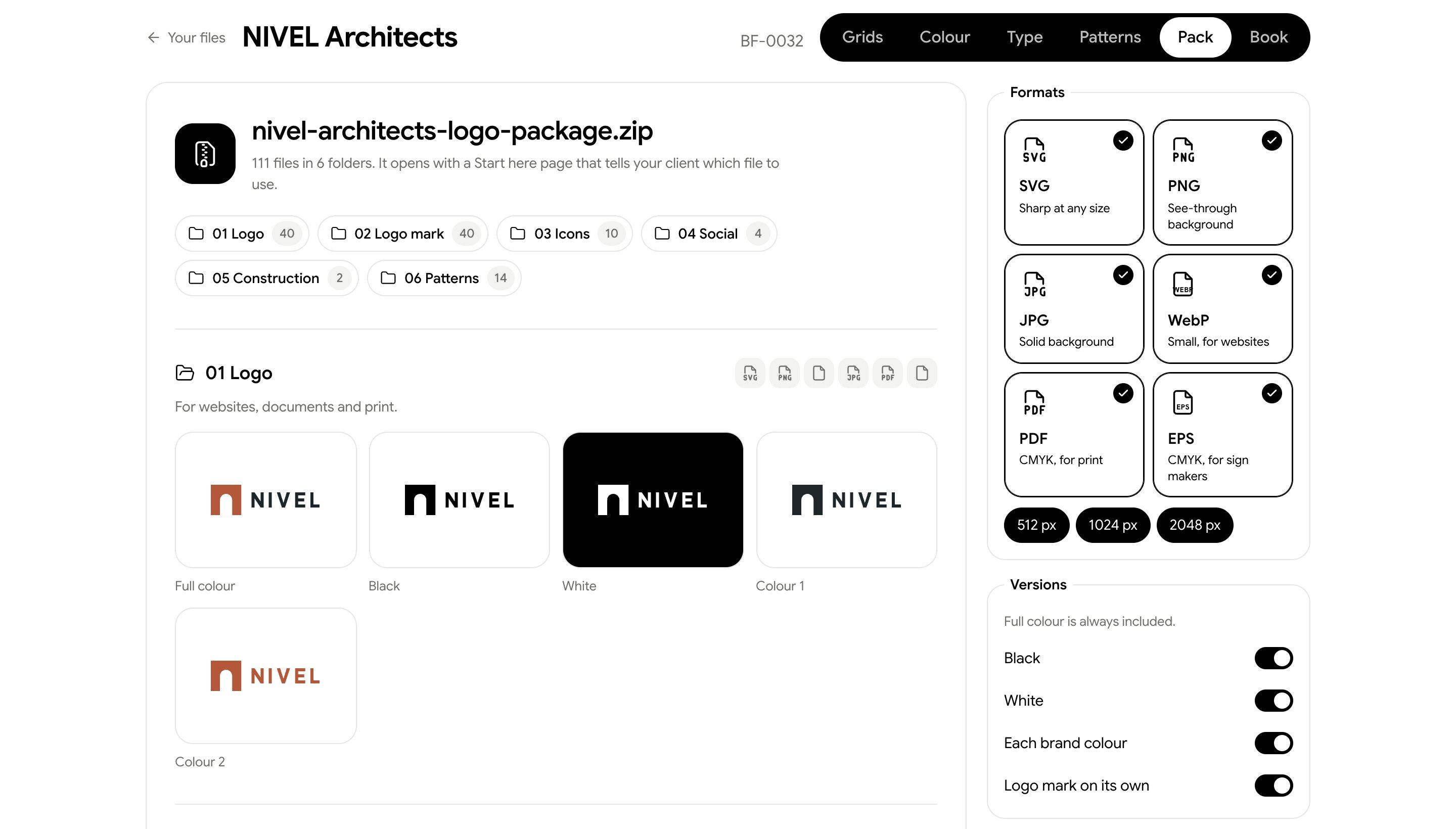
- The package, named for the brand, with its file count
- Numbered folders, in the order a client needs them
- Every colour version: full colour, black, white and each brand colour
- The formats to include, with what each is for
Questions
- Should logo file names have spaces?
- No. Spaces turn into %20 in web addresses and break some upload forms. Use hyphens between words.
- Should the file name say RGB or CMYK?
- It can, but folders do it better. Put print files in a Print folder, and the name can stay the same as the screen version.
- Should I put a date or version number in the name?
- Not in the files you deliver. The client gets one final set. Keep dates and versions in your own working folders.
- Upper case or lower case?
- Lower case. Some servers treat Logo.png and logo.png as different files, so mixing them causes broken links.
- Sorted by use or by file type?
- By use for clients (Web and screens, Documents and email, Print), by file type for designers (SVG, PNG, PDF). Brandfile does either.