What files to give a client after designing a logo
Give the client every version of the logo (full colour, black, white and the mark on its own) as SVG and PDF for anything that scales, PNG for screens and documents, and JPG for Office and email. Add favicons, social images, the colour codes, the font names and a one-page guide that says which file to use where.
In short
- Three colour versions of each logo cover almost every use: full colour, black and white.
- Vector files (SVG, PDF) scale to any size. Pixel files (PNG, JPG) are for screens and documents.
- Screen files use RGB. Print files use CMYK, made on the printer's profile. Pantone only for spot colour.
- Name and sort the files so a client finds the right one without calling you.
- Send font names and links, not font files. Most font licences don't allow passing them on.
- Start here.html
- 01 Logo40
- brandfile-logo-full-colour.svg
- brandfile-logo-full-colour-512px.png
- brandfile-logo-full-colour-1024px.png
- brandfile-logo-full-colour-2048px.png
- brandfile-logo-full-colour.webp
- and 35 more
- 02 Logo mark40
- 03 Icons10
- 04 Social4
- 05 Construction2
- 06 Patterns14
The checklist
This is the whole handoff. Copy it into your project notes and tick it off before you send the link.
- Logo versions: full colour, black and white, plus the mark on its own if there is one
- SVG of every version, for websites and anyone who edits
- PDF of every version, for print
- PNG with a transparent background, at 512, 1024 and 2048 px
- JPG on a solid background, for Word, PowerPoint and email
- EPS only if a printer or sign maker asks for it
- Favicons and app icons for the website
- Social profile pictures and cover images
- Colour codes: HEX and RGB for screens, CMYK for print, Pantone if you chose spot colours
- Font names, with links to where the client gets them
- A one-page guide: which file to use where, clear space, what not to do
Logo versions
Most brands need three colour versions of each logo. Full colour is the hero. Black is for one-colour print, stamps and faxes that still exist. White sits on photos and dark backgrounds, and on the brand colour itself.

If the logo has a mark that works alone, like an icon beside the name, give the mark its own set of the same three versions. It becomes the favicon, the app icon and the social profile picture. If you designed a stacked and a horizontal lockup, each gets its own set too.
Which format for which job
Vector formats (SVG, PDF, EPS) are drawn from shapes, so they stay sharp at any size. Pixel formats (PNG, JPG) are a grid of dots, so make them big enough for where they go.
| Format | Use it for | Opens in | Colour |
|---|---|---|---|
| SVG | Websites, apps, and anyone who resizes or edits the logo | Browsers, Figma, Illustrator, Affinity, Inkscape | Screen (RGB) |
| PNG | Slides, documents, social posts, anywhere on screen | Every app | Screen (RGB) |
| JPG | Word, PowerPoint, email signatures, places that hate transparency | Every app | Screen (RGB) |
| Print shops, large print, sending a proof | Any PDF reader, print software | Print (CMYK) | |
| EPS | Older print and sign shops that ask for it | Illustrator and print software. Not Canva, Word or PowerPoint | Print (CMYK) |
| ICO and icon PNGs | Website tabs, bookmarks, phone home screens | Browsers and phones | Screen (RGB) |
For PNG, three sizes cover most needs: 512 px for email and small slides, 1024 px for documents and web, 2048 px for big screens and print previews. Give PNGs a transparent background, and JPGs a solid one, since JPG can't be transparent.
RGB, CMYK and Pantone
Screens mix light (RGB). Printers mix ink (CMYK). A logo file for print should already be in CMYK, made for the paper it prints on, and the guide should list each colour in every system the client might need.
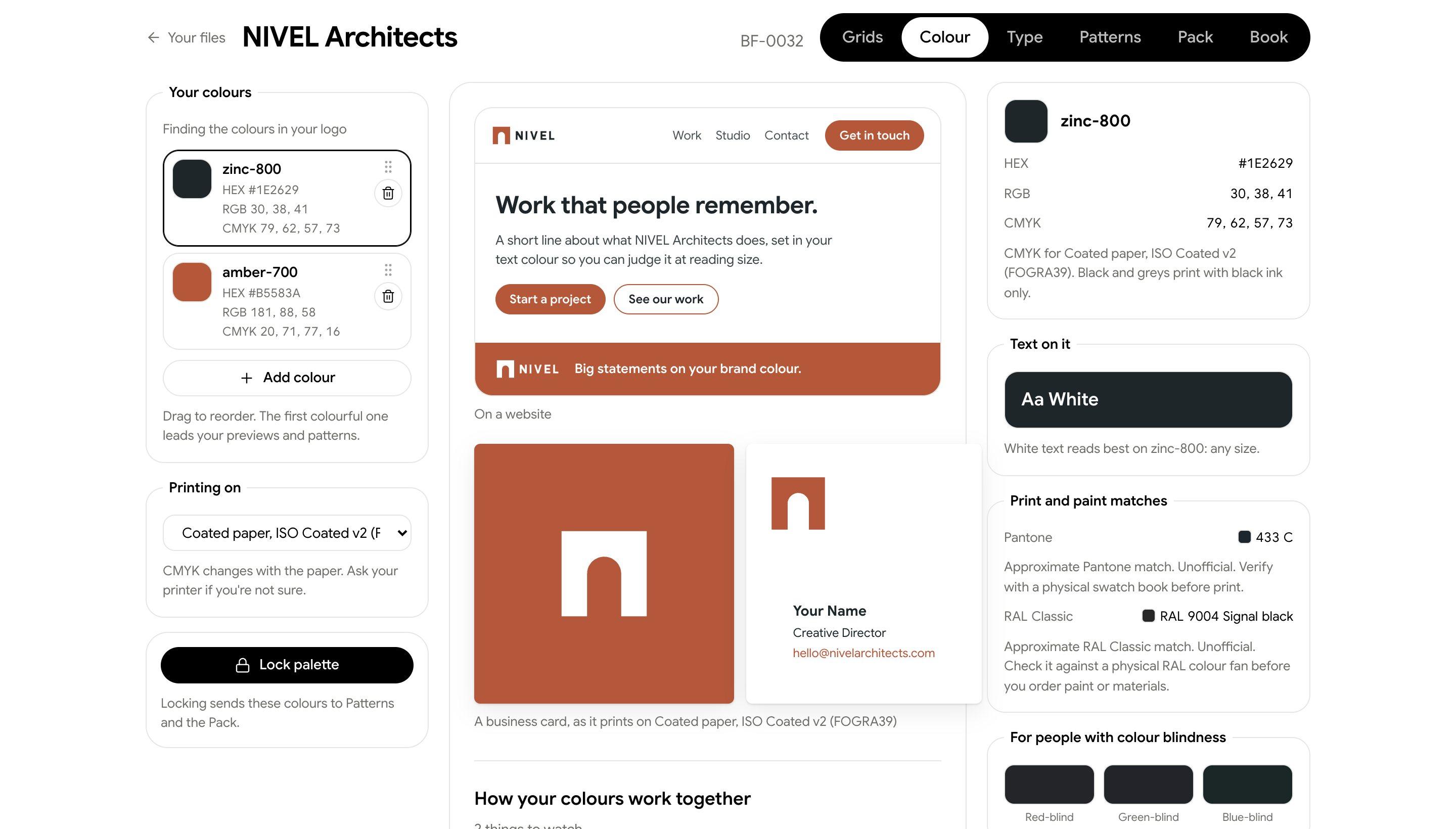
- HEX, RGB and CMYK for every colour
- The print profile the CMYK is made for
- A business card, as it prints on that paper
- Nearest Pantone and RAL, marked approximate
- HEX and RGB for websites, apps and slides.
- CMYK for everyday print. Convert on a real print profile, not with a formula. Our HEX to CMYK tool shows how far apart the two can be: for a purple like #6B3FA0, the formula says C 33 M 61 Y 0 K 37, while coated FOGRA39 says C 73 M 83 Y 0 K 0. Why converters disagree.
- Pantone when a colour must match exactly across print runs, like packaging and signs. Use the HEX to Pantone tool to find the right page of the swatch book, then check it by eye.
How to name and sort the files
A client opens the folder months later, often on a phone, looking for one file. Names that say what the file is, and folders in a fixed order, mean they find it without calling you.
This is the real package Brandfile makes for its own logo: 111 files in 6 folders, plus a Start here page.
- brandfile-logo-package
- Start here.html
- 01 Logo 40 files, like brandfile-logo-full-colour.svg
- 02 Logo mark 40 files, like brandfile-mark-full-colour.svg
- 03 Icons 10 files, like favicon.ico
- 04 Social 4 files, like brandfile-profile-picture-light-800.png
- 05 Construction 2 files, like brandfile-construction.svg
- 06 Patterns 14 files, like brandfile-pattern-repeat-tile.svg
Each name follows one pattern: brand, what it is, which version, then the size if it has one. So brandfile-logo-black-1024px.png needs no explanation. Lower case and hyphens keep names safe in every system and email.
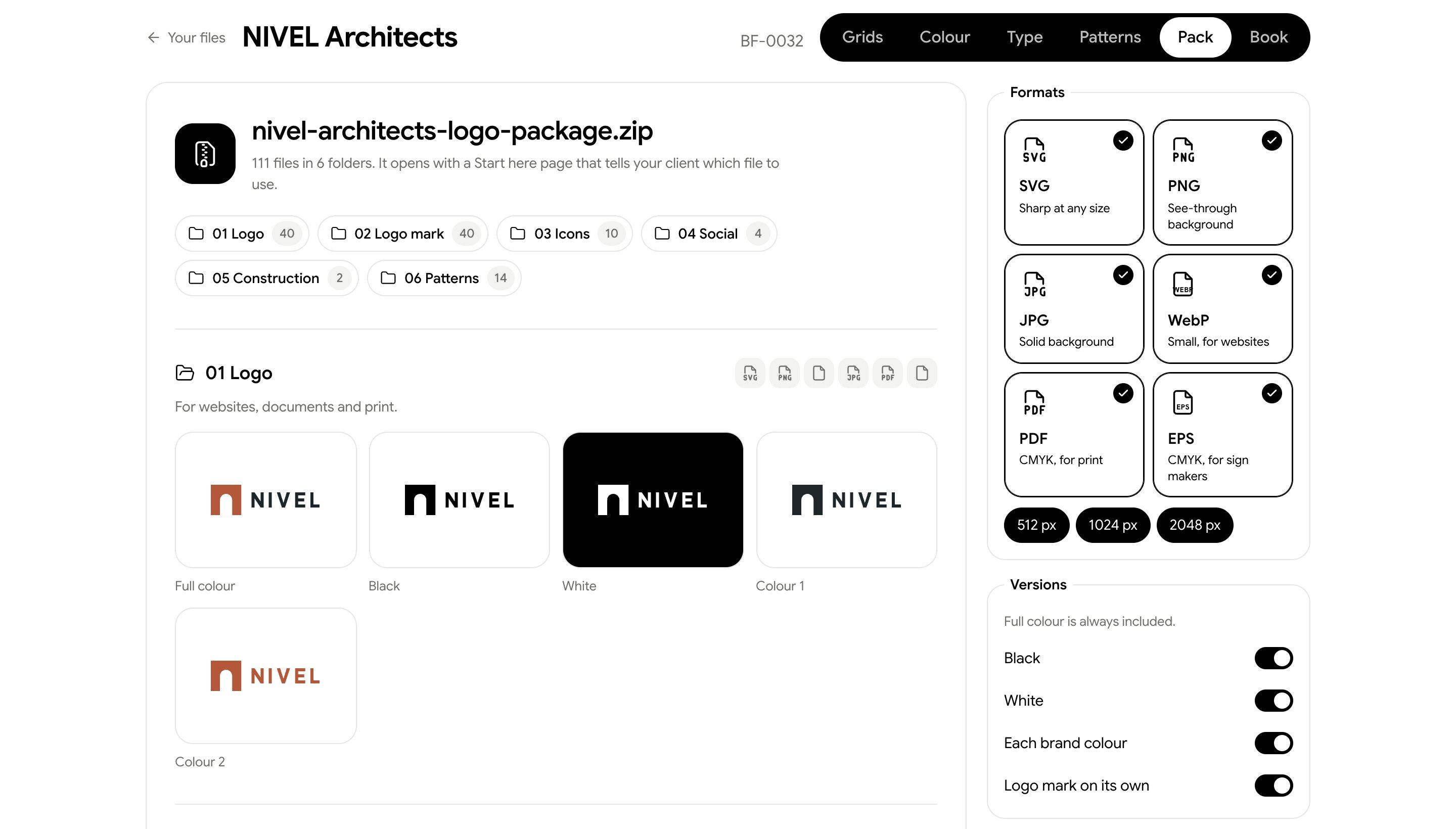
- The package, named for the brand, with its file count
- Numbered folders, in the order a client needs them
- Every colour version: full colour, black, white and each brand colour
- The formats to include, with what each is for
Want to see every file? Download the sample package and open it. For the naming pattern in detail, and a free folder template with these names, read how to name logo files.
Clients on Canva, Word and PowerPoint
Many clients never open a design app. EPS files won't open in Canva, Word or PowerPoint, and an SVG can confuse older Office versions. For them, point to the PNG and JPG files first, and say so on the Start here page.
What not to send
- Font files. Most font licences don't let you pass them on. Send the font names and a link to where the client gets them.
- Only small files. A 300 px PNG looks fine in an email and blurry on a banner. Send sizes up to 2048 px, and vectors.
- Your working file, unless your contract says so. The layered design file is yours unless you agreed otherwise. Decide this before the project, not at handoff.
Doing it in minutes
Done by hand, this package is an evening of exports. Brandfile makes it from one SVG: every version and format, favicons, social images, the colour codes on real print profiles, the construction sheet and a brand book, named and sorted as above. It works with an SVG from any design app.
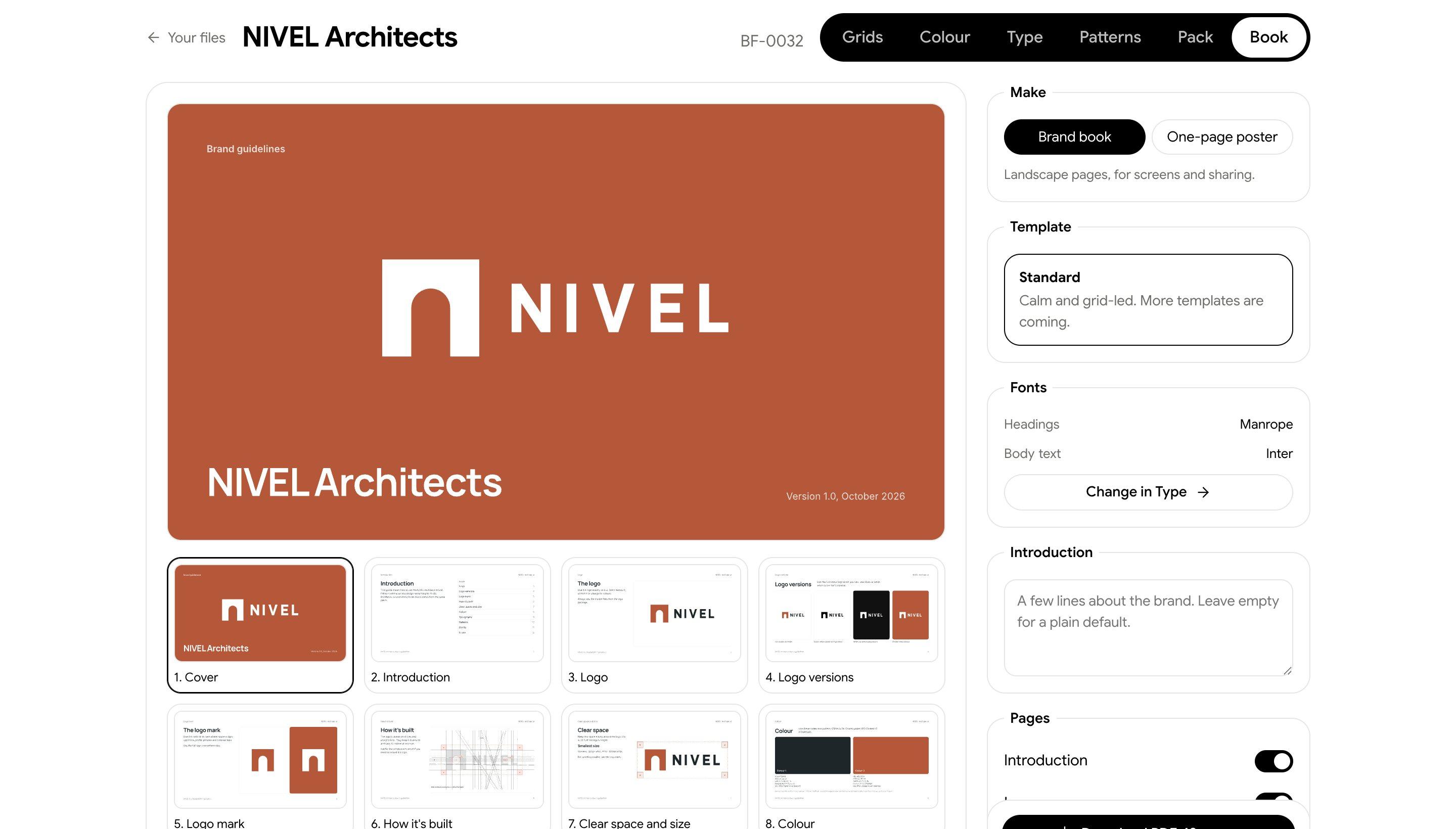
- The brand book, made from the file
- Pages for the logo, versions, clear space, colour and more
- Fonts from the Type step
Try the logo package checklist to see the exact files your logo would get, or compare Brandfile with Akrivi, Logo Package Express and Logopack. Pro is $8 a month or $69 a year, and the first 3 files are free. See how Pack works.