Square grid
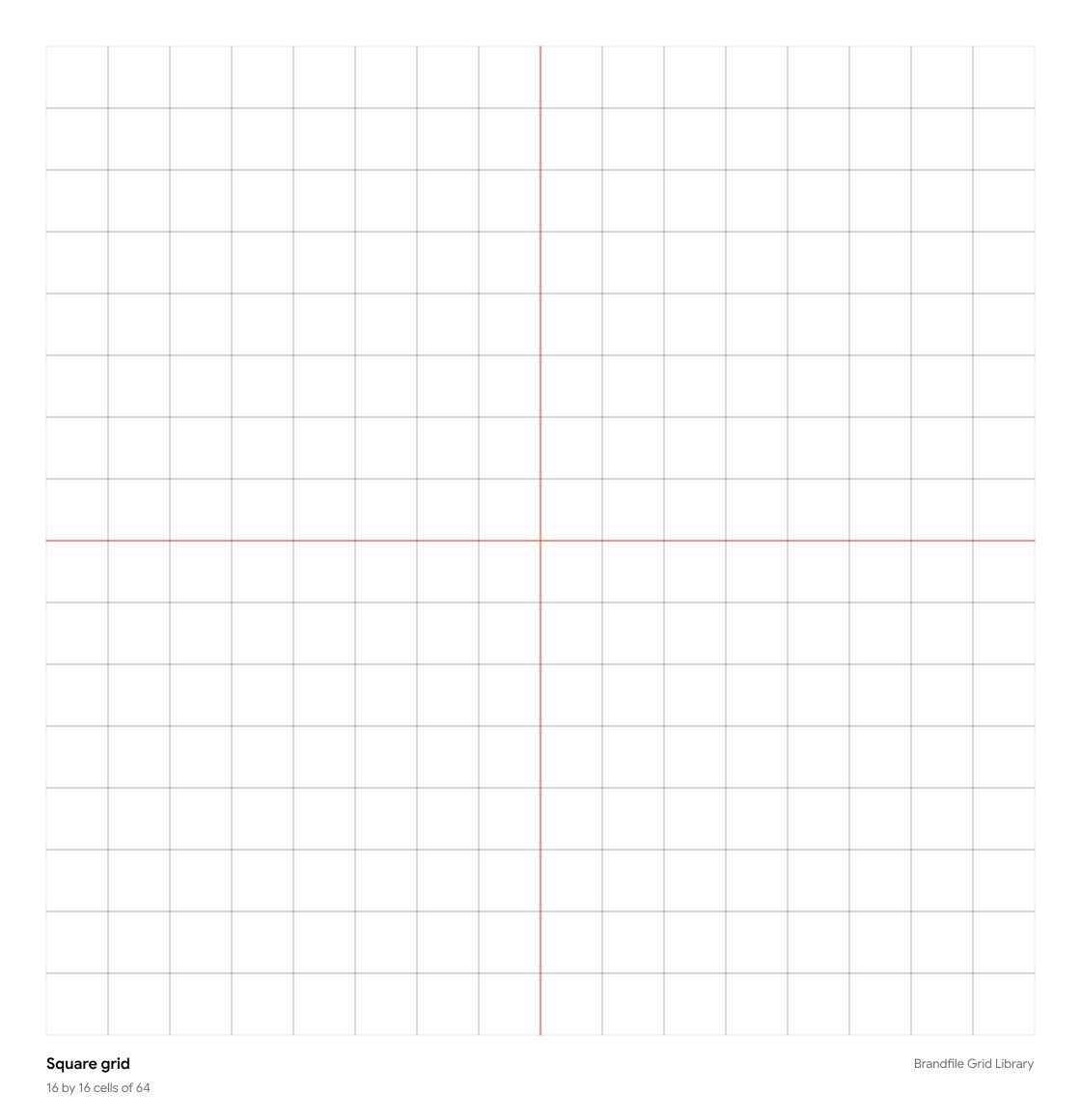
A square grid divides the frame into even cells, here 16 by 16. It is the simplest construction grid, and the one most logos can live on.
Free for personal and client work. Opens in Illustrator, Affinity, Figma and Inkscape.
What it's for
- Lining up edges, stems and gaps on whole units
- Sizing the parts of a mark in simple steps, like 2, 3 or 4 cells
- Crisp icons and favicons
How to draw it
- Draw a square the size of your artboard.
- Divide each side into equal parts. 16 is common, 8 is calmer and 32 is finer.
- Draw a line through each division, across and down.
- Mark the centre lines, so the mark can be balanced on them.
- Snap the main edges of your mark to the lines, then check the small details by eye.
When not to use it
Round, flowing marks rarely fit a square grid well. Use circles or a golden spiral for those.
What's in the file
One SVG, 1120 by 1160, with four named layers, so you can lock the grid and draw above it:
- Frame: the edge of the grid.
- Construction: the grid lines, in warm grey.
- Accents: the lines and points that matter most, in coral.
- Labels: the name and a short note, as outlines. Hide it while you draw.
Get all 54 grids
The whole Grid Library in one ZIP: every grid in 8 numbered folders, with a README that names each one. We email it to you, free.
Do it on your own logo
Brandfile's Grids step reads your logo SVG and draws its real construction: the circles its curves come from, edge lines, golden ratio checks, and square, isometric and hexagon base grids. See Grids.